Corrections
Correct a signed certificate without editing it
Once a certificate is signed, CertSync locks it and nobody can edit it. If something on it is wrong, you issue a correction: CertSync starts a new certificate of the same type from the original, with the readings carried over and the signatures cleared. You fix it, and when it is signed it supersedes the original. The original stays on record exactly as it was issued.
What it does
Exactly what you get
- A signed certificate is locked. Its details, readings and signatures cannot be changed by anyone; only record-keeping fields such as its sending status can move.
- Issue a correction is offered on certificates that are signed: ready to send, on hold, or sent.
- It works the same way on all 13 certificate types, and the replacement is always the same type as the certificate it corrects.
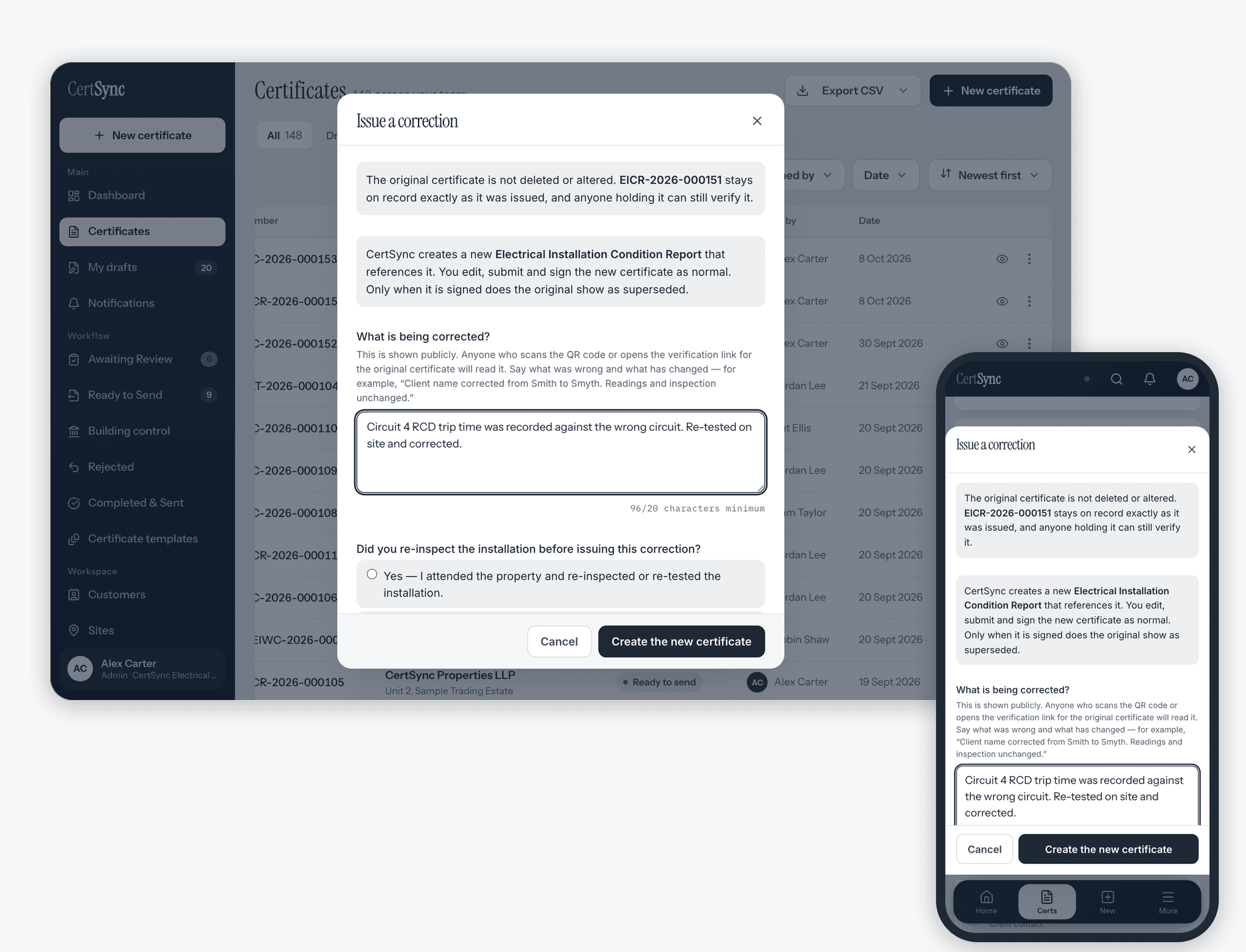
- You must say what is being corrected, in at least 20 characters, because that reason is shown publicly. You must also say whether you re-inspected the installation, and when.
- The replacement starts as a draft with the readings, observations and work dates carried over. Signatures, signing dates and the serial number are cleared, so nothing is signed on anyone’s behalf.
- The replacement stays filed against the same customer, site and job as the original.
- Nothing happens to the original until the replacement is signed. Then two things change on it: its status becomes Superseded and it points to the replacement. Its content, signatures and stored PDF are left as issued.
- The replacement’s PDF carries a correction notice naming the certificate it supersedes, when and by whom that was issued, your reason and whether the installation was re-inspected.
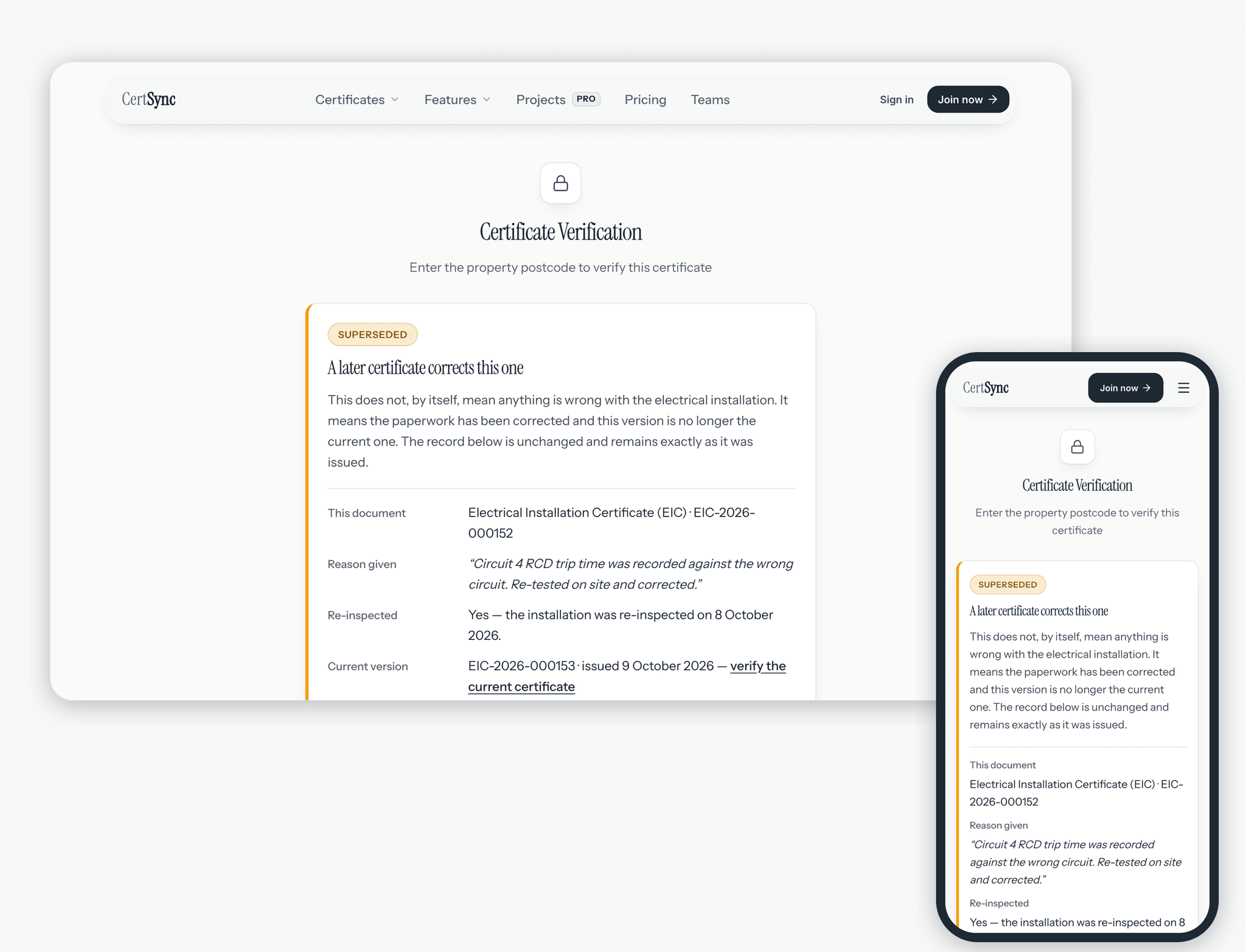
- If the original has a QR sticker, its verification page says a later certificate corrects it, gives your reason and re-inspection answer, and links to the current version.
- CertSync records who started each correction and who signed the replacement that superseded the original.
How it works
Three steps
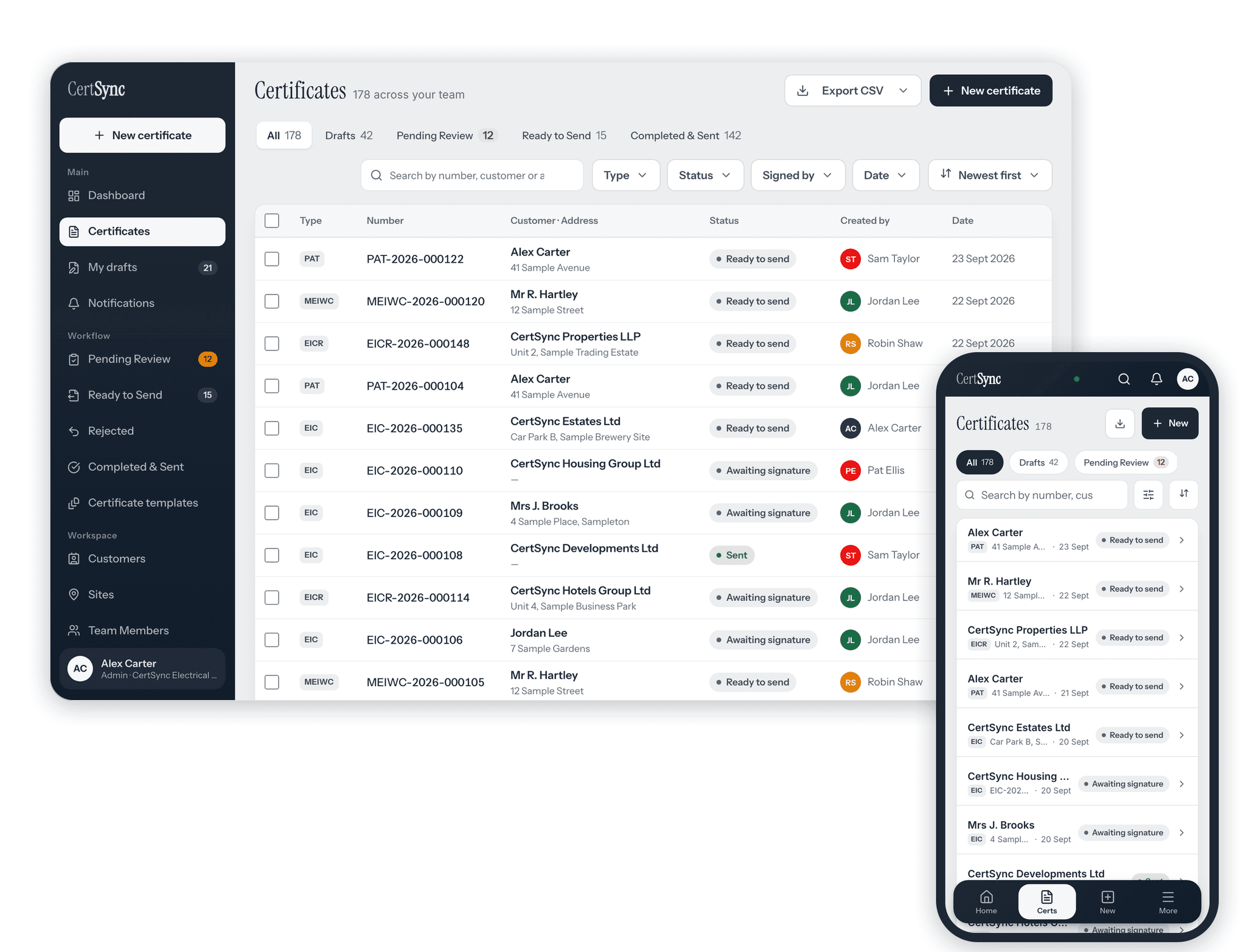
Choose Issue a correction
Open the signed certificate, or its actions in the certificates list, and choose Issue a correction. Say what was wrong and what has changed, and whether you went back to re-inspect.
Fix the replacement
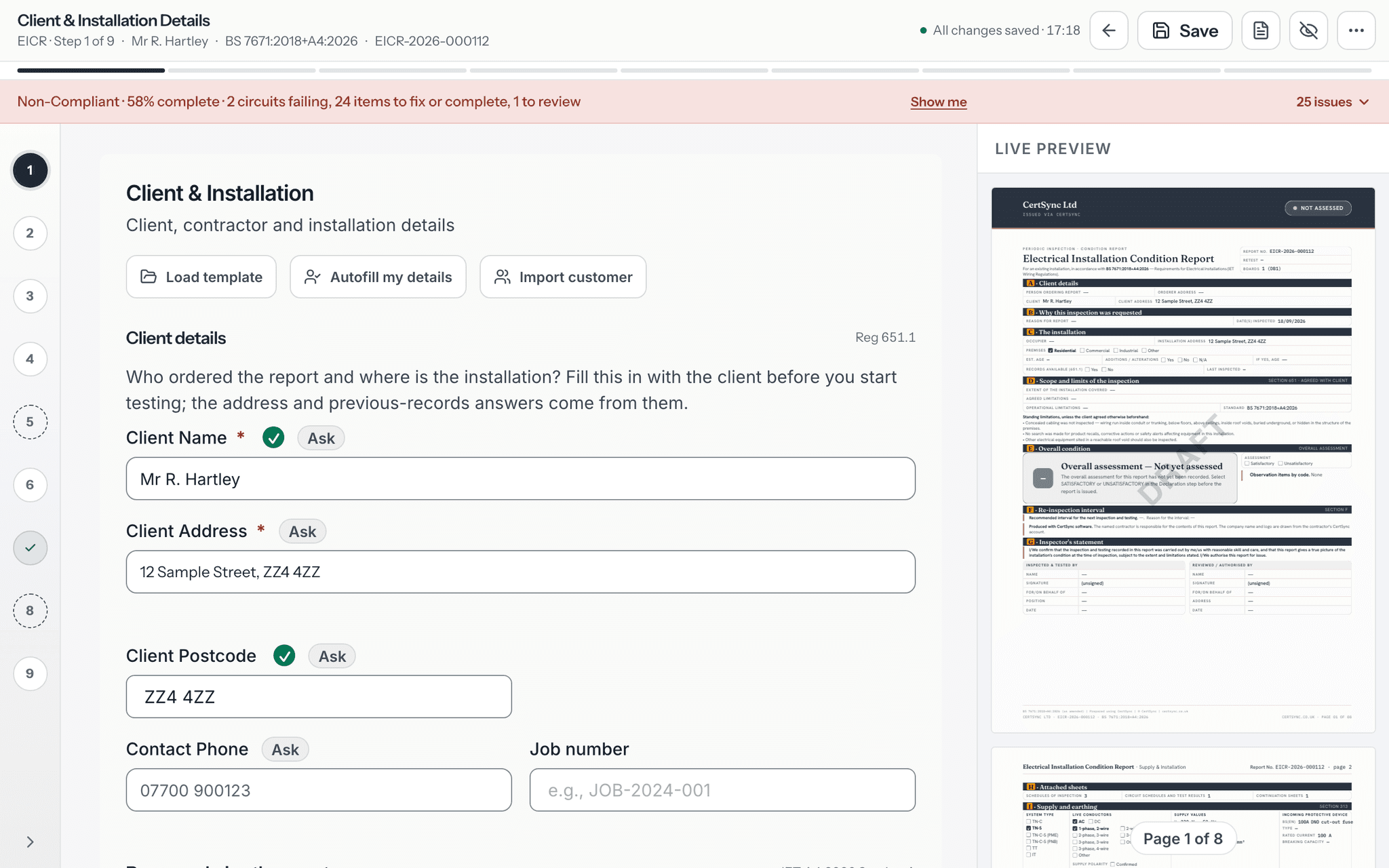
CertSync opens a new draft of the same certificate type with your readings already in it. Change what was wrong, using the same form and live PDF preview as any other certificate.
Submit, sign and send
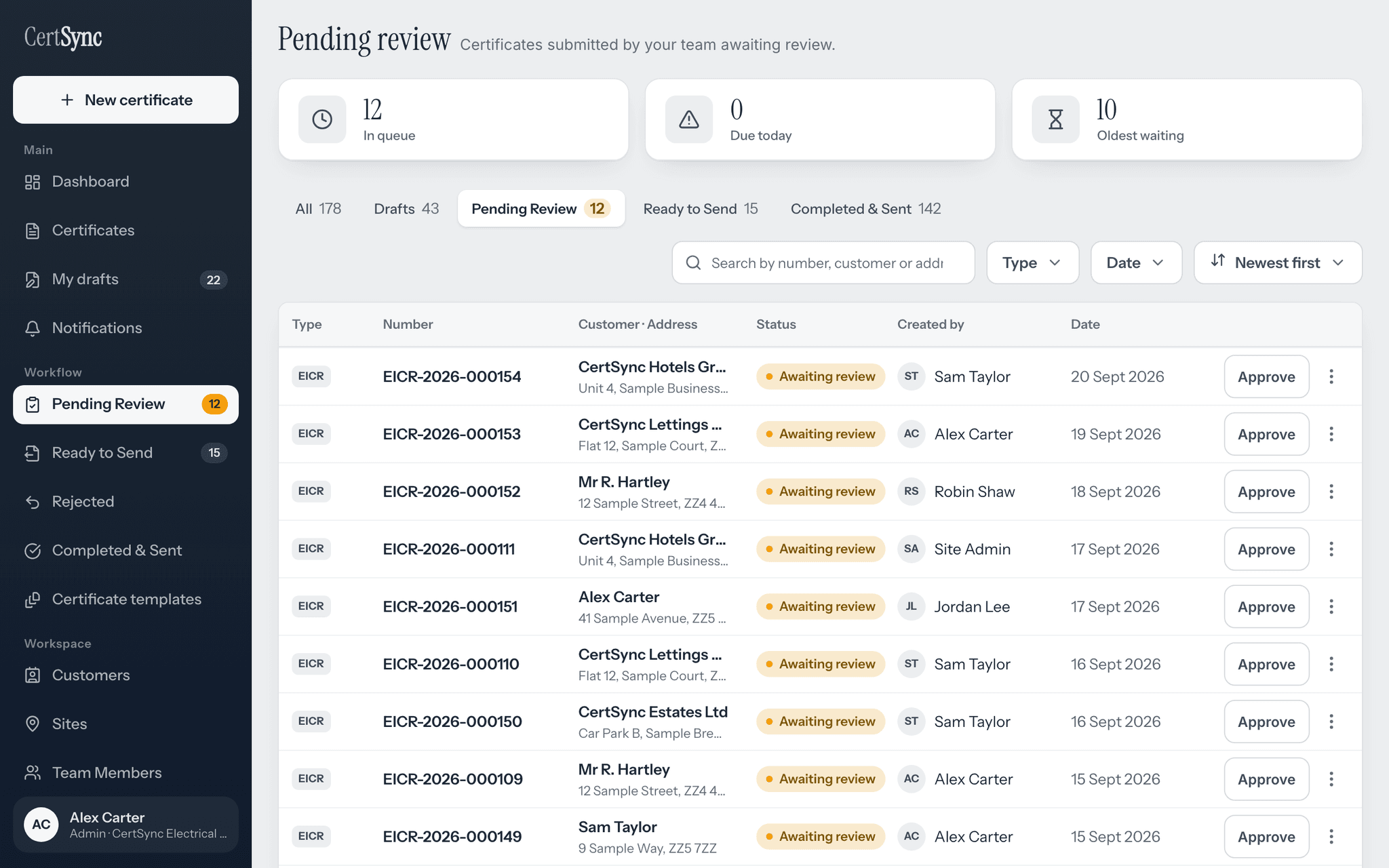
The replacement goes through review and signing like any certificate. When a supervisor or admin signs it, the original is marked Superseded and the replacement becomes the current version.
Good to know
The details
- Only one correction can be open for a certificate at a time. Starting it again takes you back to the draft already in progress.
- A certificate can only be superseded once. To correct it again, correct the current version instead.
- Admins, supervisors and installers can start a correction. Office staff cannot.
- Only a supervisor or admin can sign the replacement, just as with any other certificate.
- The correction dialog tells you before you type that the original is not deleted or altered, and that your reason will be read by anyone who checks the original.
Questions
Frequently asked questions
- Why can’t I just edit a signed certificate?
- Because someone may already hold it. Once signed, a certificate is locked so the copy your customer has always matches what is on record. A correction is a new certificate that says which one it replaces.
- What if the certificate is approved but not yet signed?
- It is not locked in the same way. A supervisor or admin can return an approved certificate to draft, and it can be edited and resubmitted. Issue a correction is only offered once a certificate is signed.
- Is withdrawing a certificate the same as correcting it?
- No. Withdrawing lets the person who submitted a certificate pull it back out of review to draft before anyone has signed it. Correcting is for a certificate that has already been signed.
- Do I have to type all the readings in again?
- No. The replacement keeps the readings, observations and work dates from the original. Only the signatures, signing dates and serial number are cleared, because the replacement is signed afresh.
- What does someone checking the original see?
- If the original has a QR sticker, its verification page says a later certificate corrects it. It explains that this does not by itself mean anything is wrong with the installation, shows your reason and re-inspection answer, and links to the current version.
Keep reading
Related features, certificates and guides
Get started with CertSync
All 13 certificate types, one subscription. The first month is free.
First month free, then From £15/month. No fixed-term contract. Cancel any time.