QR verification
Let anyone check a certificate is genuine
Print a QR sticker for a certificate and fit it to the consumer unit or equipment. Scanning the sticker opens a CertSync verification page. Once the certificate has been sent, whoever enters the property postcode sees a copy of the certificate with personal details removed, so a landlord, tenant, letting agent or buyer can check what was issued without phoning you.
What it does
Exactly what you get
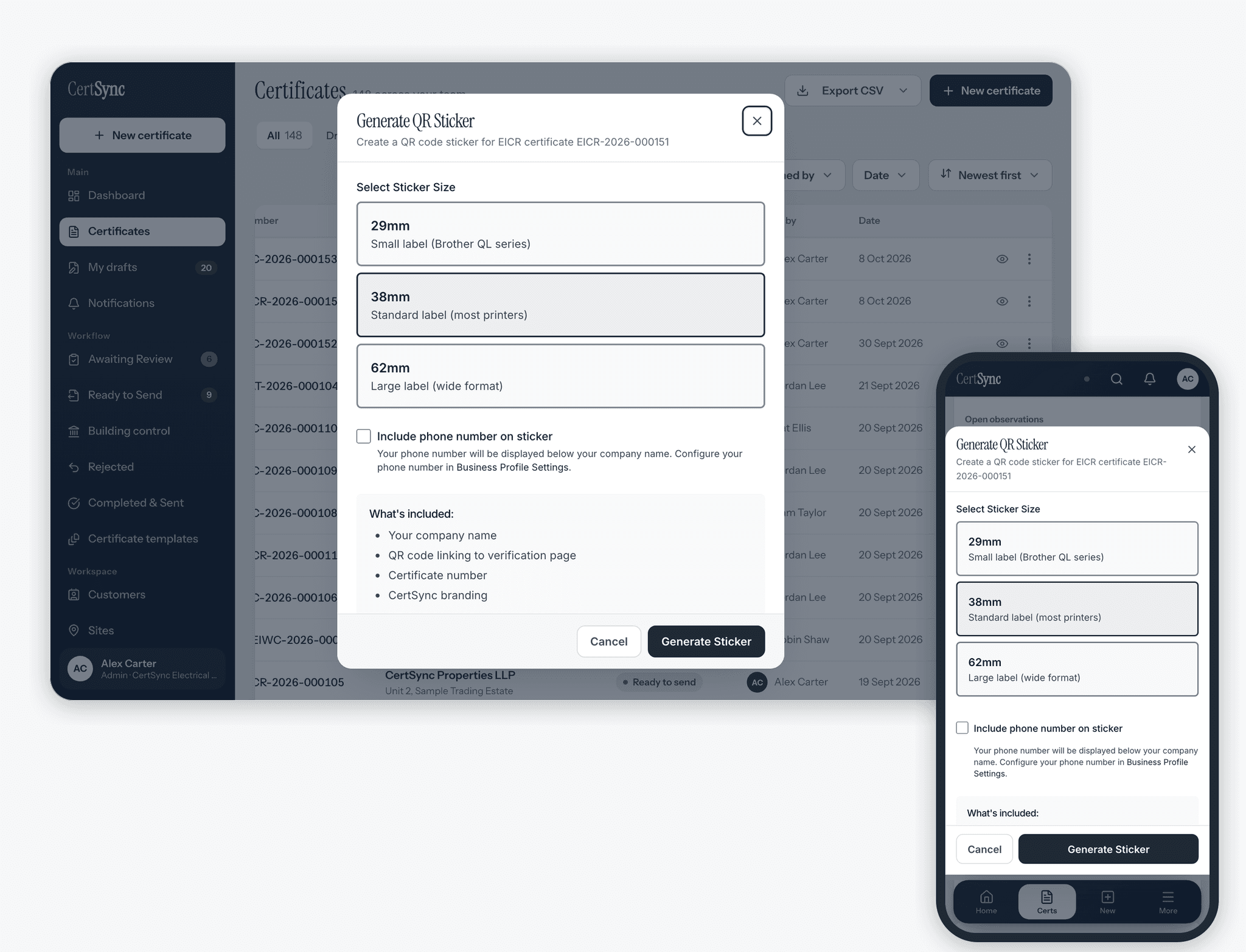
- Print a QR sticker for a certificate at 29, 38 or 62 mm, to suit common label printers, or download it as an image.
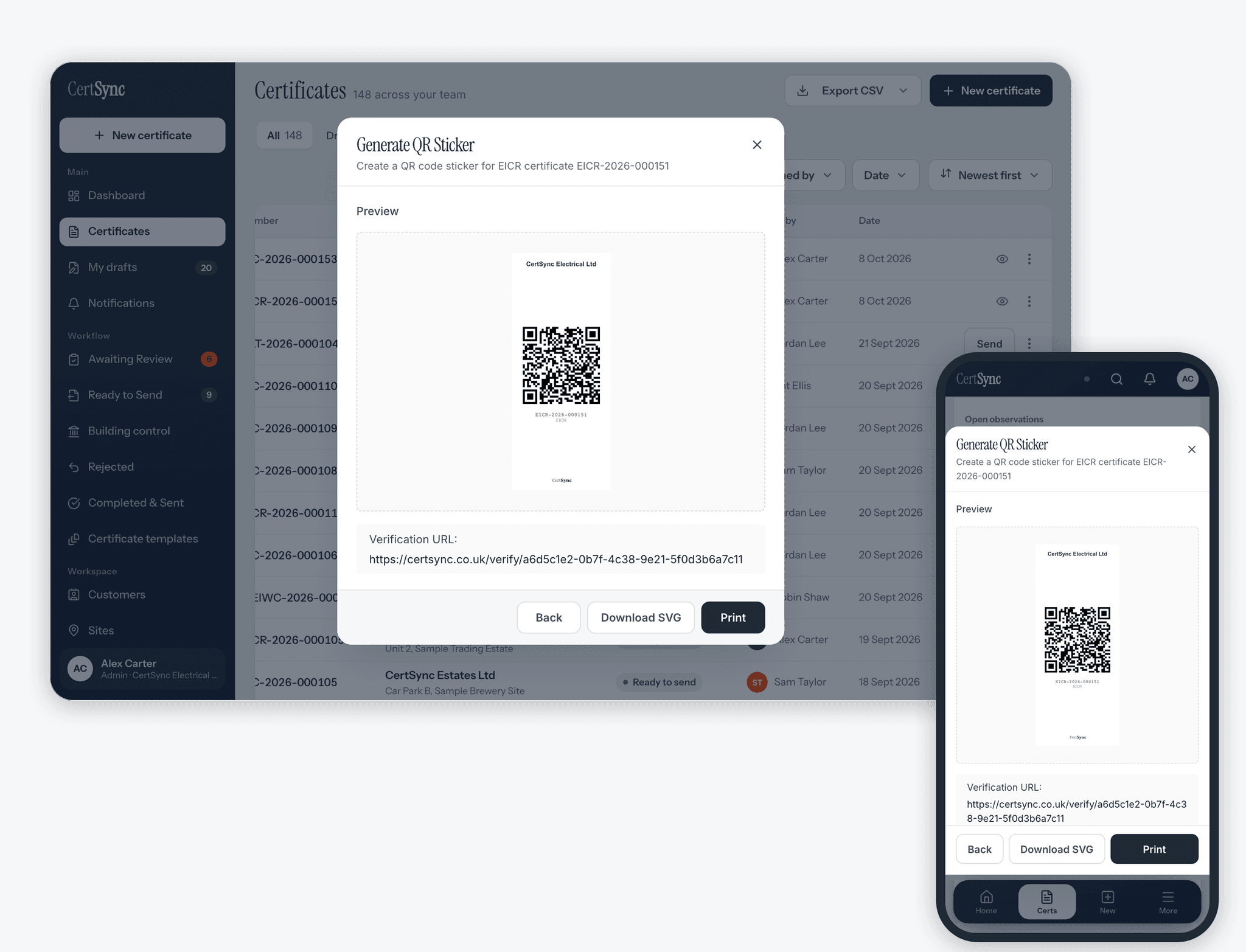
- The sticker shows your company name, the QR code, the certificate serial number and type, and your phone number if you choose to add it.
- You can print the sticker while the certificate is still a draft. Until a serial number is assigned, the label reads DRAFT and the QR code still works.
- Verification is switched on for a certificate when you first create its sticker. The QR code links to a random code made for that certificate, not its internal record number.
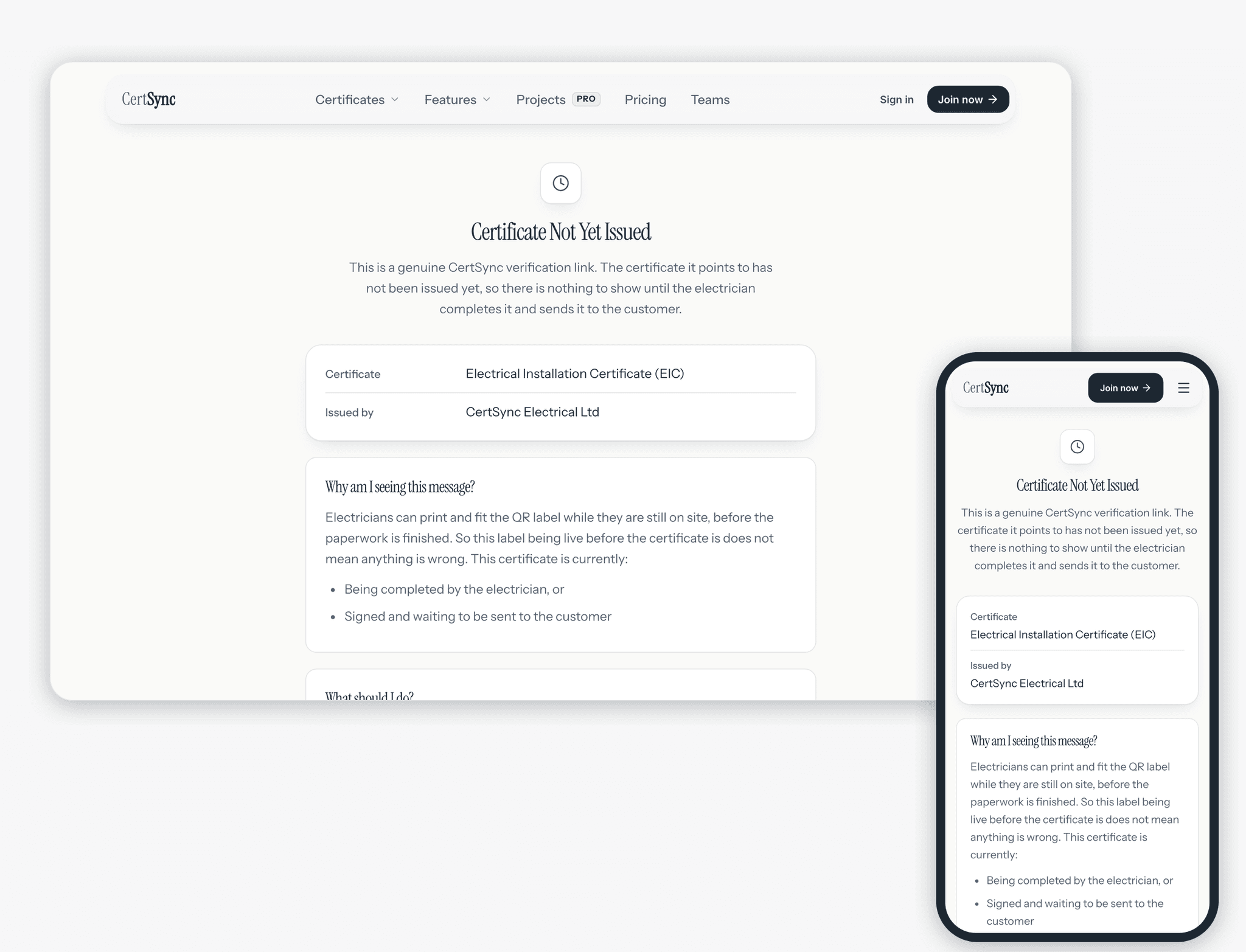
- The certificate itself is only shown once it has been approved and sent. Before that, a scan shows that the certificate is genuine but not yet issued, with its type and who is issuing it.
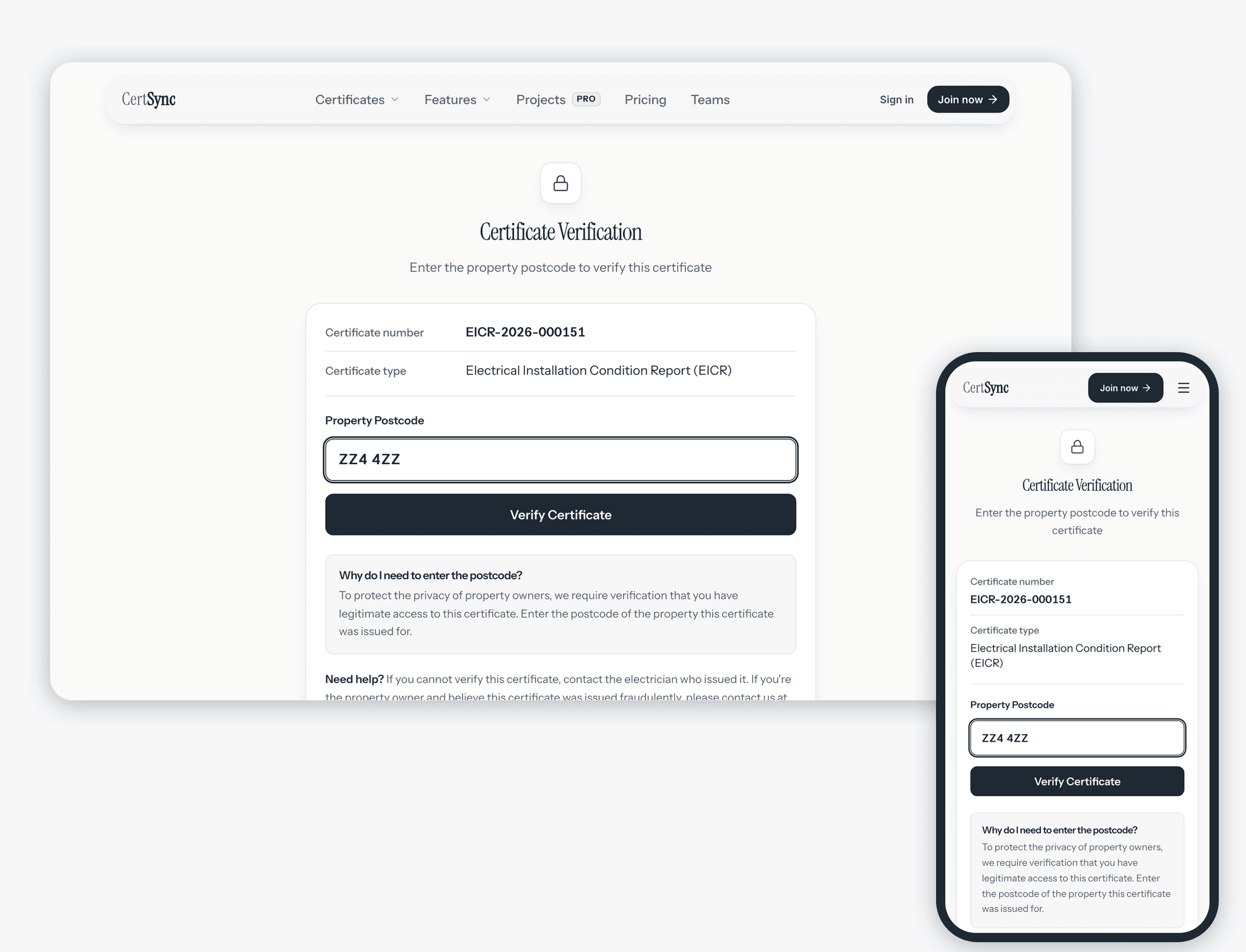
- To see the certificate, the person scanning must enter the property postcode, which is checked against the installation postcode on the certificate.
- The postcode check works on all 13 certificate types.
- They then see a PDF copy marked as a redacted verification copy, which they can download. Names, signatures, the client’s contact details and photos are removed; the installation address, your company name and the results you recorded stay.
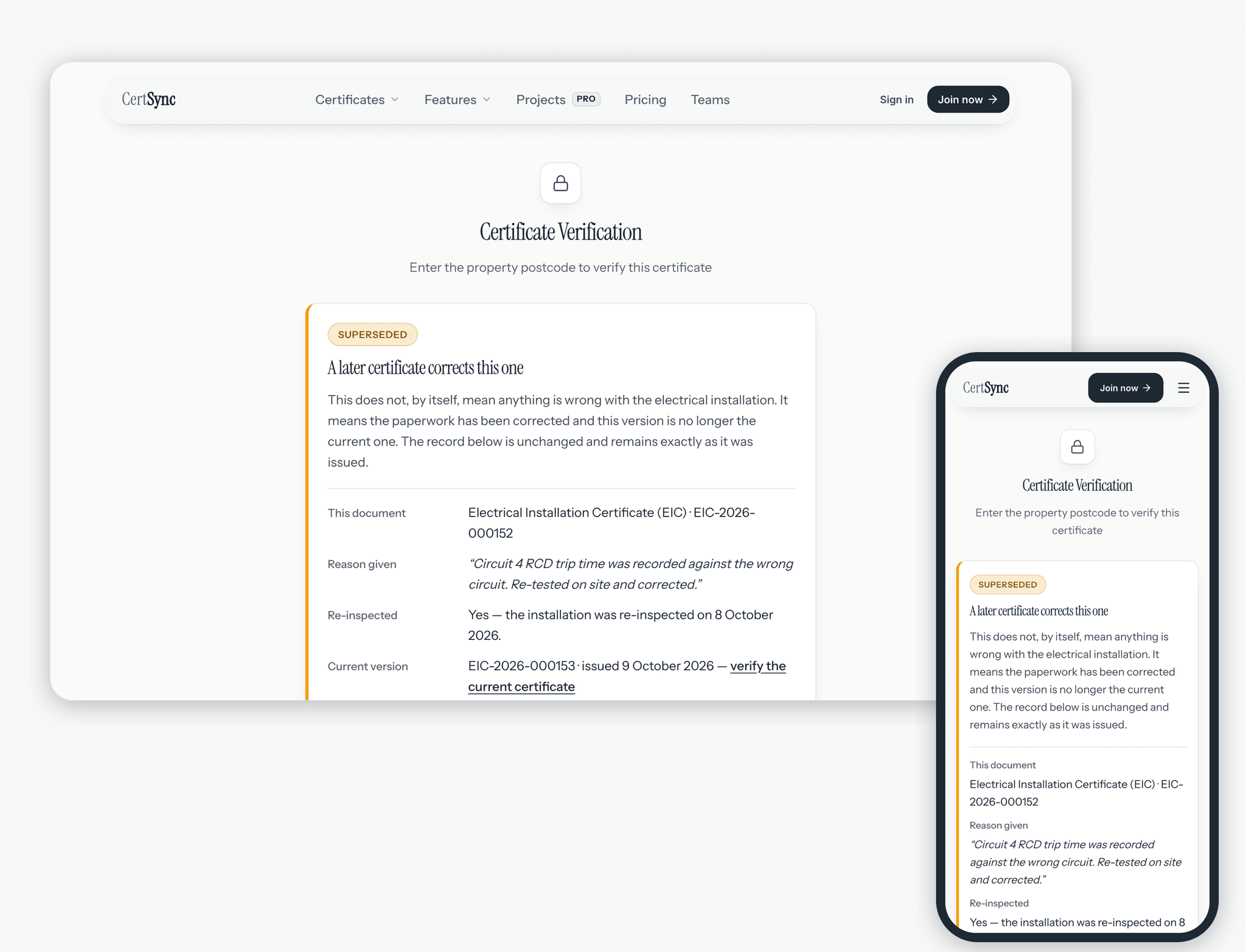
- If a signed certificate is corrected, its page says that a later certificate corrects it, gives the reason you recorded, and links to the replacement.
- If you withdraw a certificate after sending it, the sticker still opens a page saying it was withdrawn by the issuer, with no certificate details.
How it works
Three steps
Print the sticker
Choose QR sticker from a certificate’s actions in your certificate lists, including drafts. Pick a size, add your phone number if you want it on the label, then print it or download it as an image.
Fit it before the paperwork is done
Fit the sticker to the board before you leave site. Until the certificate is approved and sent, a scan shows a Certificate Not Yet Issued page with the certificate type and your company name. Once it is signed and sent to your customer, the same sticker opens it. Nothing needs reprinting.
Anyone scans and enters the postcode
A tenant, landlord or buyer scans the sticker with a phone camera, enters the property postcode and sees the certificate with personal details removed.
Good to know
The details
- Fill in the installation postcode. Without one, nobody can unlock the certificate from the sticker.
- After five wrong postcodes from one connection, the page asks the person to wait 15 minutes before trying again.
- The page says plainly what it checks: that the certificate exists in CertSync and matches what you issued. It does not check your registration or the installation itself.
- Verification pages are kept out of search engines.
Questions
Frequently asked questions
- What can someone see after scanning the sticker?
- Before entering the postcode, only the certificate number and type. After entering the property postcode, a PDF copy of the certificate with names, signatures, the client’s contact details and photos removed. The installation address, your company name and the results you recorded are shown.
- Can I put the sticker on before the certificate is finished?
- Yes. Print it from the draft and fit it on site. Until the certificate is approved and sent, a scan shows that it is genuine but not yet issued. After you send it, the same sticker opens the certificate.
- Does every certificate get a verification page?
- Only certificates you have created a QR sticker for. Creating the first sticker switches verification on for that certificate.
- What happens to the sticker if I correct a certificate?
- The original certificate’s page says a later certificate corrects it, shows the reason you gave and links to the replacement. The replacement has its own verification link.
- Does the verification page confirm my scheme membership?
- No. It confirms the certificate exists in CertSync and matches what you issued. It does not check your registration or the installation itself, and says so on the page.
Keep reading
Related features, certificates and guides
Get started with CertSync
All 13 certificate types, one subscription. The first month is free.
First month free, then From £15/month. No fixed-term contract. Cancel any time.