Live BS 7671 checks
Every circuit checked while you type the readings
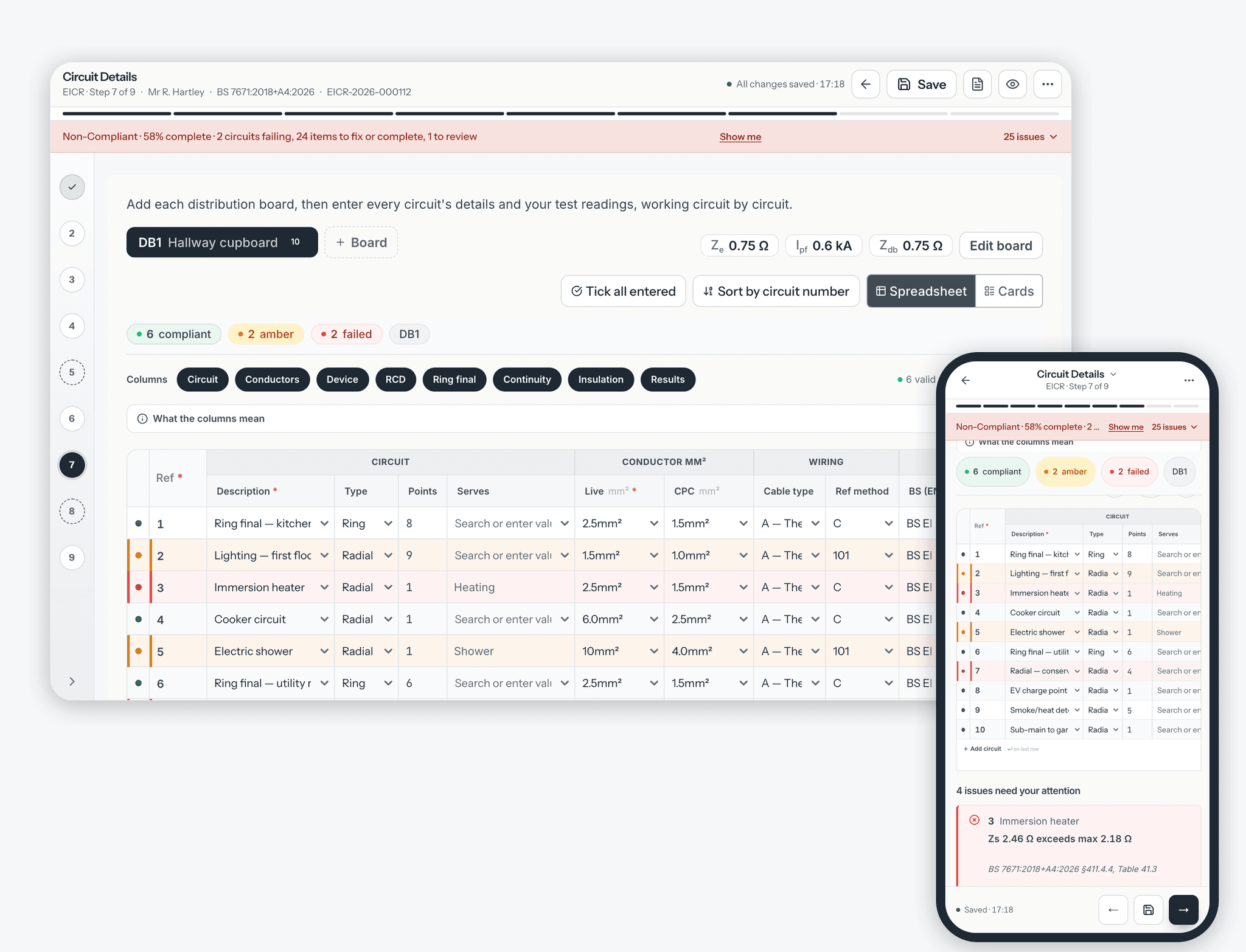
In the EIC and EICR circuit schedules, CertSync checks each circuit as you enter it. It fills in the maximum Zs from the protective device and earthing arrangement, compares your readings against it, and marks the row compliant, amber or failed, with a message that names the BS 7671 section. You find the problem on site, not when the certificate is already printed.
What it does
Exactly what you get
- The circuit schedules in the EIC and the EICR are both checked live, row by row, as you fill them in.
- The maximum Zs is filled in for you from the protective device type, rating and curve, the RCD and the earthing arrangement as you enter them.
- For an MCB, RCBO or fuse, the maximum Zs is set at 80% of the tabulated value, the usual allowance for a reading taken with the cables cold. An RCD limit is used at its full value.
- Each circuit is marked compliant, amber or failed. A failed result always outranks an amber one.
- A circuit fails when its Zs is above the maximum, its insulation resistance is below the minimum, a recorded polarity test failed, or the fault current at its board is more than the device can break and no back-up protection is recorded.
- The insulation resistance minimum is chosen by what the circuit is, such as SELV or PELV, not by the test voltage you used.
- Amber flags readings worth a second look, such as a Zs well above Ze plus R1+R2, a cable run in thermal insulation, or a test marked pass with a reading below the minimum.
- Counts of compliant, amber and failed circuits sit above the grid, and tapping one shows only those circuits.
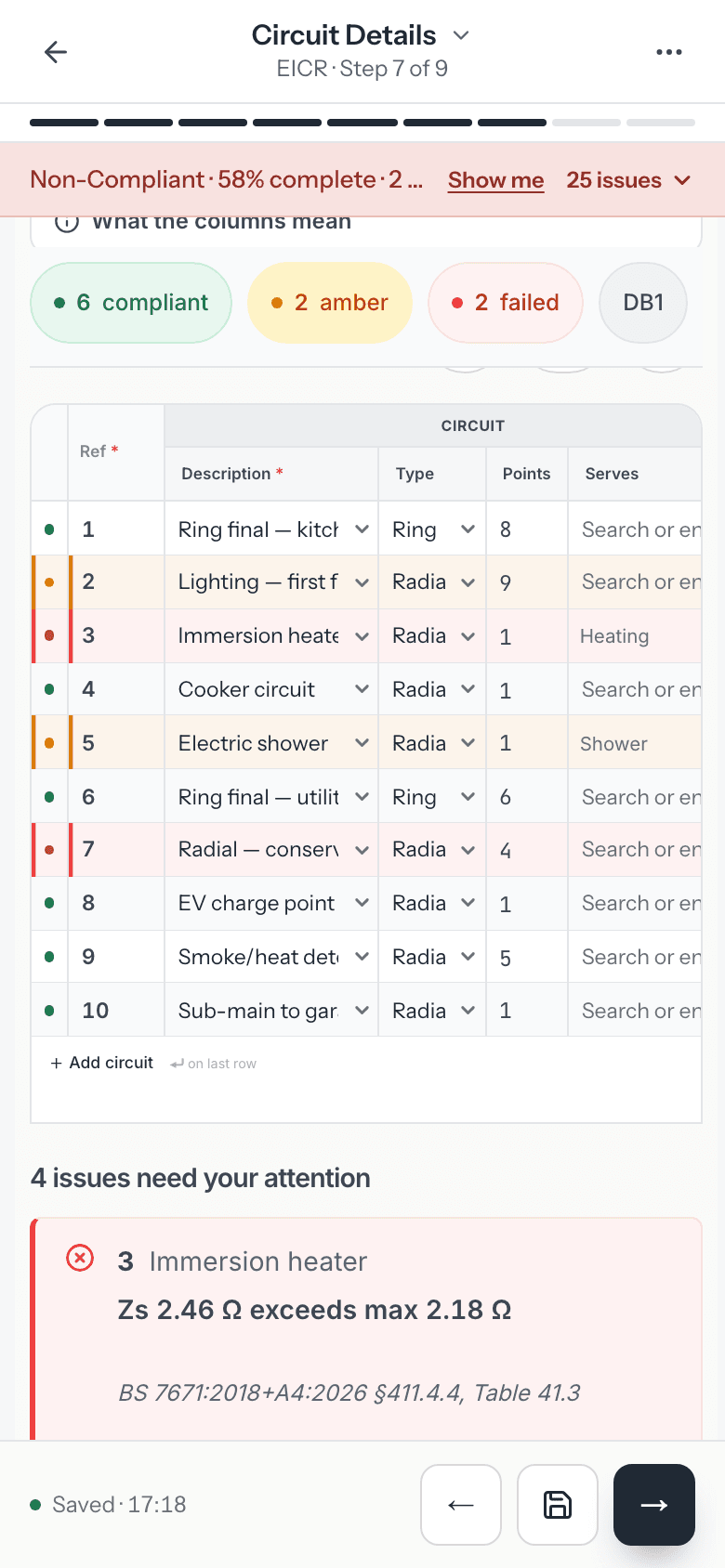
- Each problem gets a card under the grid with the circuit, the reading against its limit, what to check next and the BS 7671 section number.
- On an EICR, Record as observation adds the failed circuit to your observations with a suggested code you can change.
- On an EIC, the same button adds a line to the departures section, so you either fix the work or record why.
How it works
Three steps
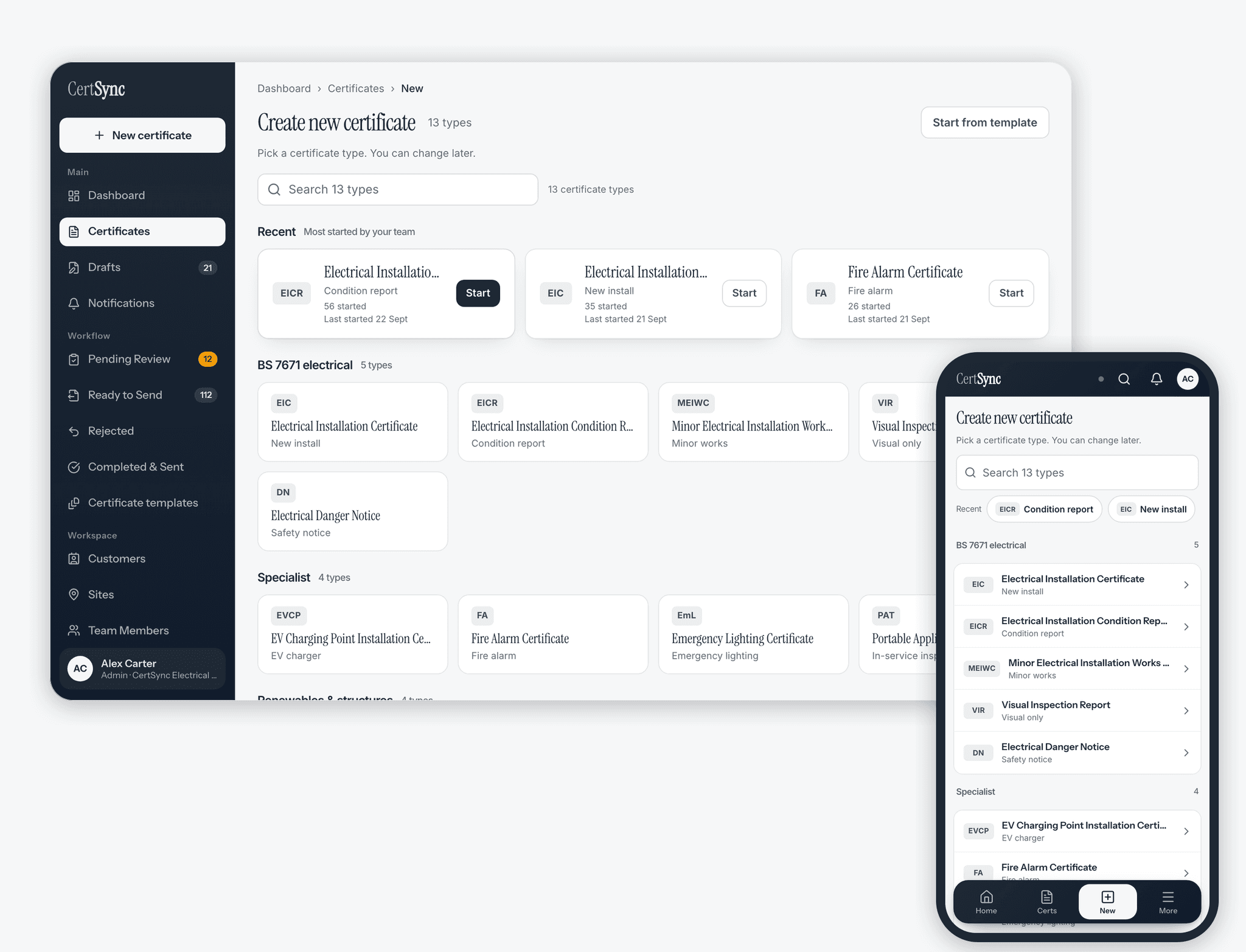
Open an EIC or EICR
Start the certificate as usual. When you reach the circuit details, add each distribution board with its Ze and prospective fault current.
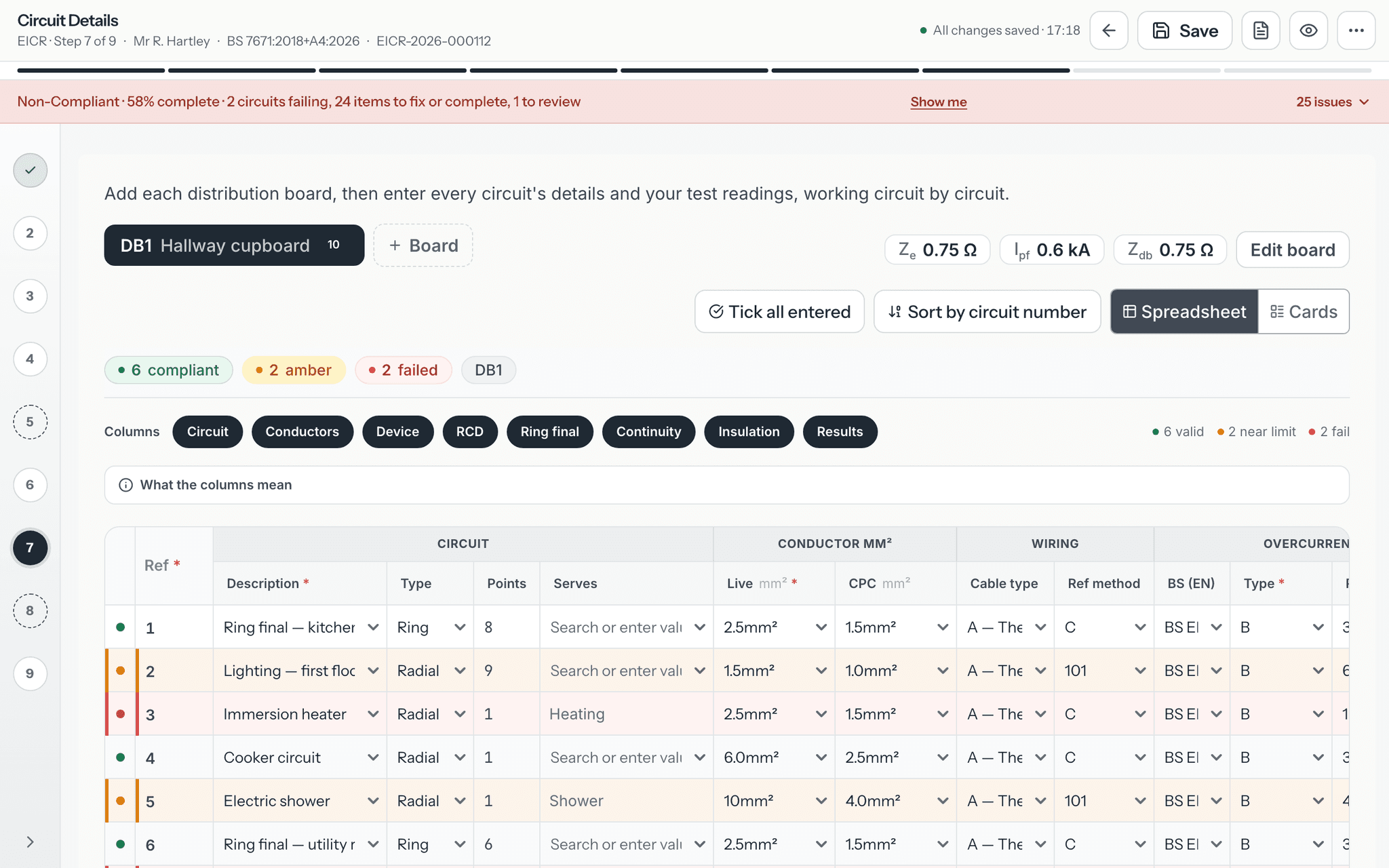
Enter the circuits and your readings
Fill in the device, conductors and test results for each circuit. The maximum Zs fills in from the device, and the row marker turns green, amber or red as the readings go in.
Deal with what is flagged
Read the card for each flagged circuit. Correct a mistyped reading, or on an EICR record it as an observation, and on an EIC fix the work or record a departure.
Good to know
The details
- On an EIC, a Zs above the maximum always blocks issue until it is corrected, and a fault current above the breaking capacity with no back-up protection recorded is flagged before you issue. On an EICR both are flagged for an observation and do not stop the report.
- When the certificate is checked for issue, the maximum Zs is worked out again from the device details rather than taken from the form.
- On a TN supply, a circuit over its device limit but within its RCD limit shows amber and gets a remark that the RCD provides fault protection.
- On an IT supply, readings are marked for your own review instead of being passed or failed automatically.
- Once a certificate is signed, each circuit keeps the result it had at sign-off.
Questions
Frequently asked questions
- Which maximum Zs does CertSync compare my reading against?
- For an MCB, RCBO or fuse it uses 80% of the tabulated maximum, the usual allowance for a reading taken at ambient temperature, as described in BS 7671 Appendix 3. An RCD limit is used at its full value. The figure is filled in from the device type, rating, curve, RCD and earthing arrangement you enter.
- Will a failed circuit stop me issuing the certificate?
- On an EIC, a Zs above the maximum always does: correct the reading or the device details first. A fault current above the device breaking capacity with no back-up protection recorded is flagged before you issue. Missing readings always block. On an EICR the same results are flagged and you are asked to record an observation; they do not stop the report being issued.
- What does amber mean?
- Amber is a prompt to check, not a failed test. Examples are a Zs well above what Ze plus R1+R2 suggests, a cable installed in thermal insulation, a small cable on a large device with a high fault current, an insulation test marked pass with a reading below the minimum, or a circuit relying on its RCD for fault protection.
- Does CertSync quote the regulations?
- No. Each message names the BS 7671 section it relates to by number, such as section 411.4.4, and explains what to check in plain words. It does not reproduce regulation text or tables.
- Which certificates have live circuit checking?
- The circuit schedules of the EIC and the EICR. On an EICR a flagged circuit can be added to the observations in one step; on an EIC it can be added to the departures section.
- Do the results change after I sign?
- No. Once a certificate is signed, each circuit keeps the result it had at the moment of sign-off.
Keep reading
Related features, certificates and guides
Get started with CertSync
All 13 certificate types, one subscription. The first month is free.
First month free, then From £15/month. No fixed-term contract. Cancel any time.