Danger notices · social housing
Time-stamped evidence for social landlords, on the danger notice
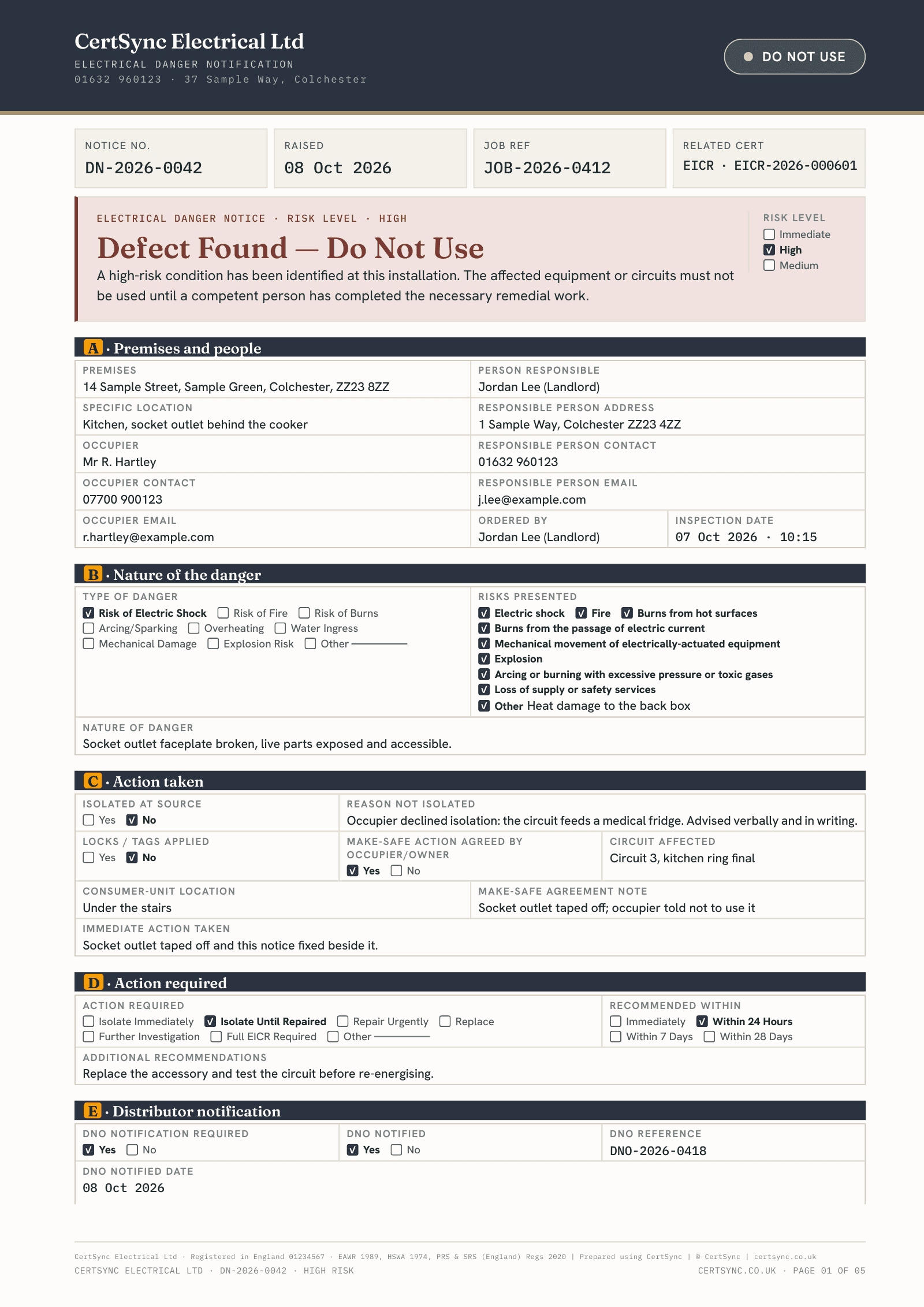
When a housing association sends you to a dangerous fault, CertSync records when you attended, your assessment, when and how you made it safe, and when the tenant was told, on the danger notice you already give them. CertSync records your evidence; the landlord decides the legal category and writes to the tenant.
What it does
Exactly what you get
- Mark a customer as a social landlord (registered provider) once, with their provider number if you have it. Their new danger notices start in evidence mode.
- Turn evidence mode on or off for one notice, for example for a communal plant room, with an optional note of why.
- Record the landlord’s references, when they say they became aware (as given), when you attended, the hazard and your assessment.
- Record when and how you made it safe, any risk left, suggested dates for the permanent work, and when the tenant was told and who you told.
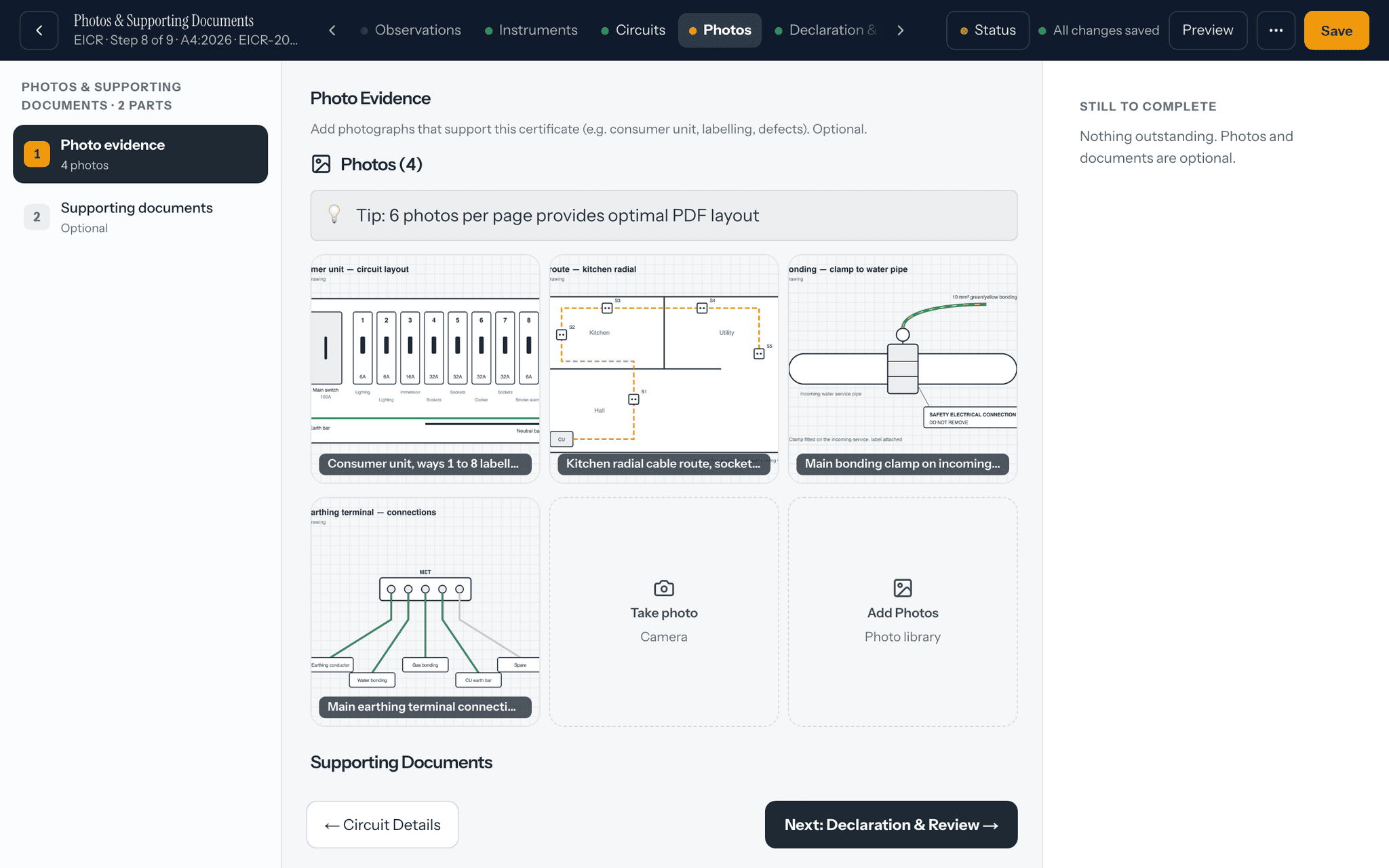
- Evidence photos keep the time they were taken.
- The notice gets an extra page for the landlord with every time and reference, and the photos with their times.
How it works
Three steps
Mark the customer
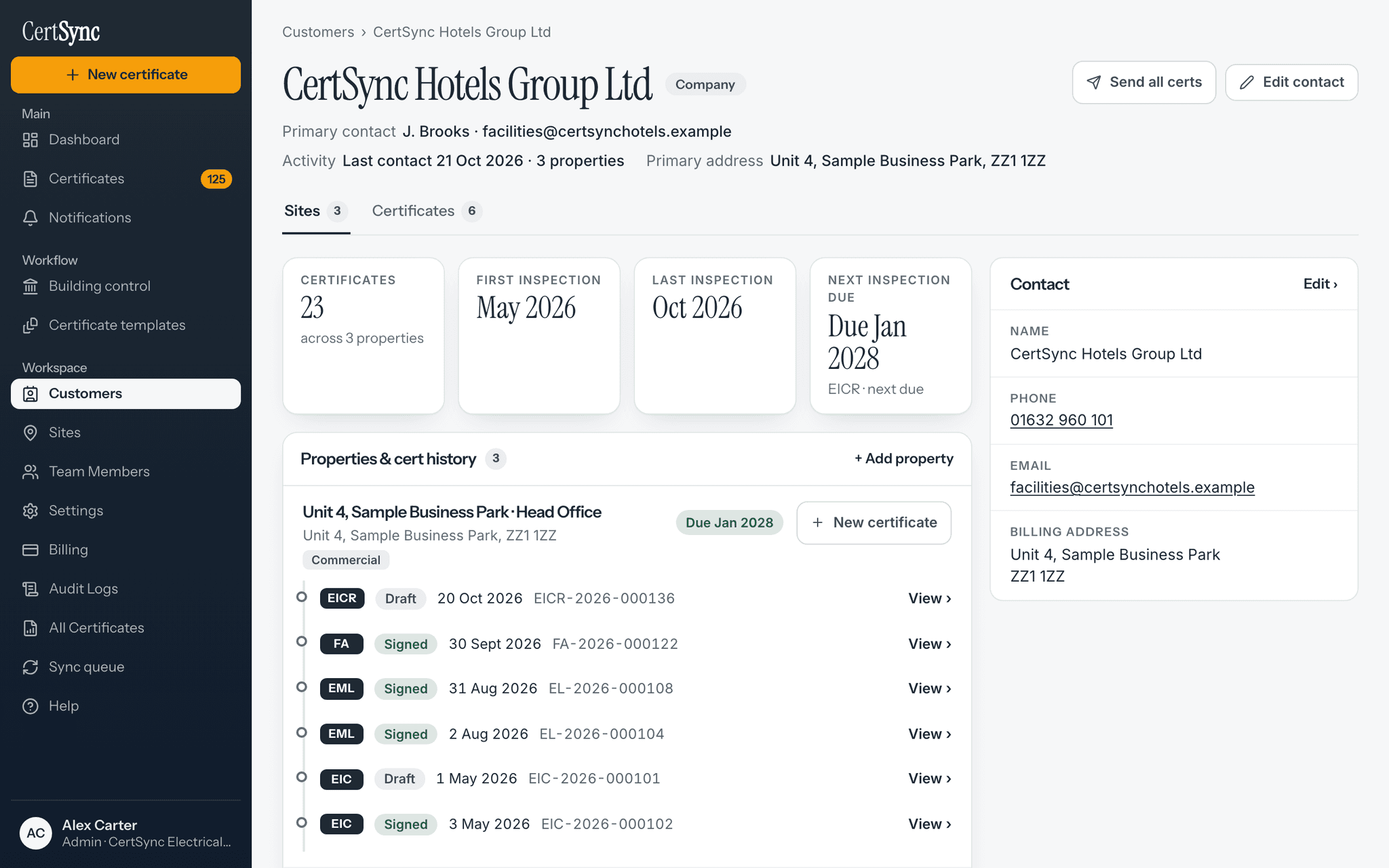
Open the housing association’s customer record and turn on Social landlord (registered provider). Admins, supervisors and office staff can change it.
Record the visit
The danger notice starts in evidence mode. Note the times as they happen, your assessment, how you made it safe and when the tenant was told, and add photos.
Sign and send
The signed notice carries an extra page for the landlord with every time and reference. A notice without evidence mode prints exactly as before.


Good to know
The details
- The time the landlord gives for becoming aware is recorded exactly as given. CertSync never works out a deadline from it.
- Times and photos are kept on your device with no signal, and sync when you are back online.
- Admins, supervisors and office staff can mark a customer as a social landlord. Installers fill in the evidence on the notice.
Questions
Frequently asked questions
- Does CertSync decide whether a hazard falls under Awaab’s Law?
- No. CertSync records your evidence: the times, your assessment, how you made it safe and when the tenant was told. The landlord decides the legal category and sends any summary to the tenant.
- Does every danger notice get the extra page?
- No. Only notices in evidence mode. A notice for a customer marked as a social landlord starts in it, and you can turn it on or off for one notice. A notice without it prints exactly as before.
- Can I record it with no signal?
- Yes. The times, the answers and the photos are kept on your device and sync when you are back online.
- Who can mark a customer as a social landlord?
- Admins, supervisors and office staff. Installers can still fill in the evidence on the notice.
Keep reading
Related features, certificates and guides
Get started with CertSync
All 13 certificate types, one subscription. The first month is free.
First month free, then from £15/month. No fixed-term contract. Cancel any time.